
PayPal - Pay, Send, Save
PayPal MobileFinance
4.2443.61K Reviews
- Version
- 10.20.1
- Installs
- 500.00M
- Age Rating
- Everyone
Screenshots
Our Review of PayPal - Pay, Send, Save
 Analysis by Appyee
Have you ever found yourself in a bind, needing to transfer money quickly without the hassle of bank queues or complicated forms? Well, let me tell you, PayPal - Pay, Send, Save is one of those apps that you just can’t do without in today’s digital world. It’s like having a bank right in your pocket, only way cooler and much more convenient.
Where PayPal fits into a normal money routine
I find it most useful when a payment needs to happen between people who already use PayPal, or when an online checkout offers it as an option. For example, if I’ve paid for a shared meal, I can request each person’s portion instead of sending a string of reminders and trying to keep track of who owes what. The app makes the exchange straightforward, but it still depends on everyone being comfortable using the service and responding to the request.
That distinction matters if you’re deciding whether it should replace your bank app. I see PayPal as a handy layer for sending, receiving, and paying online, not a substitute for every part of banking. For checking a bank balance, arranging a bank-specific service, or handling cash, the familiar bank app or another payment method may be more direct. The practical win is having another convenient route when the other person or merchant can use it.
All About Convenience
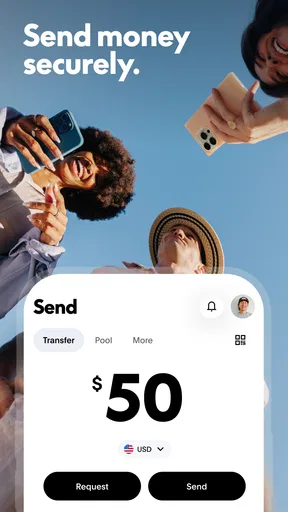
Let’s dive right into what makes PayPal - Pay, Send, Save such a game-changer. First off, the app is super intuitive. Whether you’re a tech whiz or someone who still struggles with QR codes, PayPal makes it easy to send and receive money with just a few taps. You can link your bank account or credit card and start sending money to friends and family, or even make purchases online.
My useful habit is to pause before confirming a payment and check the recipient and amount, especially when I’m moving quickly. For repeat situations, such as paying a friend back or collecting a shared expense, keeping the request and payment details clear helps prevent awkward corrections later. I also treat the payment screen as the point to review which linked payment method I’m using; convenience is less helpful if I select the wrong source by tapping through on autopilot.
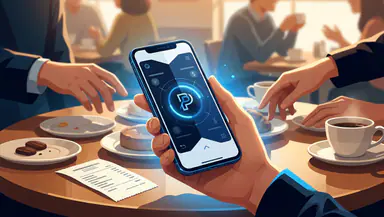
One of the features I personally love is the ability to split bills. Ever been out with friends and dreaded the bill-splitting math? PayPal’s got you covered. You can easily request money from friends, and they can pay you back just as easily. It’s like magic, only real.
A realistic use is a group order where one person pays the restaurant and then asks the others to cover their shares afterward. I’d agree on the amounts first, then send individual requests with a simple note so each person can recognize what the payment is for. That little bit of context is a better safeguard than assuming everyone will remember the same total. For an even split, a request is convenient; when people ordered very different things, calculating fair portions beforehand avoids turning the app into a debate about the bill.
Security You Can Trust
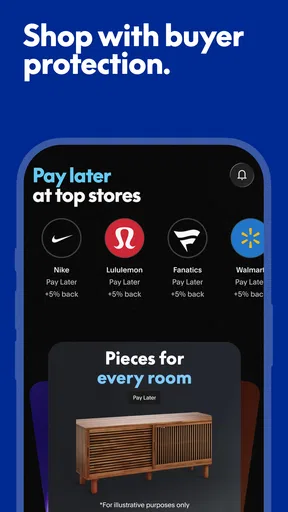
Now, I know what you might be thinking—what about security? In today’s age, cyber threats are no joke. But rest assured, PayPal has some of the best security features out there. Your transactions are encrypted, and they offer fraud monitoring 24/7. Plus, there’s a buyer protection feature that ensures you don’t lose out if something goes wrong with a purchase.
I treat security as a set of habits rather than a reason to stop checking what I’m doing. Before sending money, I make sure I’ve chosen the intended recipient, and I avoid rushing through payment prompts just because the app feels familiar. For online shopping, I keep the order details and any relevant messages so I can refer back to them if a purchase needs attention. Buyer protection can be reassuring, but it shouldn’t be read as a promise that every kind of transaction will be covered or every problem will resolve the same way.
I’ve personally felt at ease using PayPal for both small daily transactions and larger purchases. It’s comforting to know that my financial information is secure, and if something does go awry, PayPal’s customer service is prompt and helpful.
Still, I wouldn’t use a payment app as a reason to ignore basic caution. When paying someone I don’t know, I take a moment to understand what the payment is for and whether the purchase is the sort where buyer protection may apply. If a seller insists on an unusual arrangement, I’d rather use a payment method that fits the transaction and offers the safeguards I need. For routine payments among people I know, the process feels less complicated; unfamiliar transactions deserve more attention.
Settings and habits worth checking
When I first set up a payment app, I take time to review the linked payment methods and make sure I recognize them. That is a more useful routine than assuming the app will always choose the source I intended. I also make sure my account contact details are current, since being able to recognize account activity and receive important messages depends on information I can access.
For frequent use, a small repeatable checklist helps: confirm the recipient, read the amount, check the selected funding method, and keep a record of what the payment was for. These are simple steps, but they’re especially helpful when splitting expenses or paying several people in a short span. A note in a request can also make it easier for the recipient to identify it without needing a separate explanation.
The best settings are personal. Someone who mainly shops online may care most about reviewing purchase activity, while someone who sends money to friends may want to be especially careful with recipient details. I wouldn’t enable a setting just because it sounds convenient; I’d first consider whether it suits the way I actually use the account and whether I understand what it changes.
More Than Just Payments
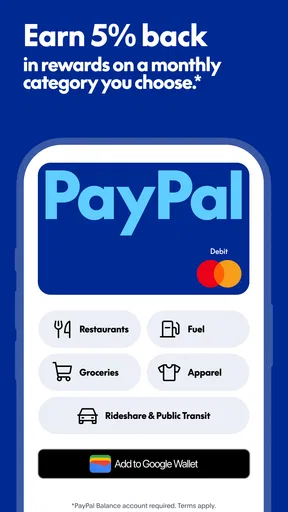
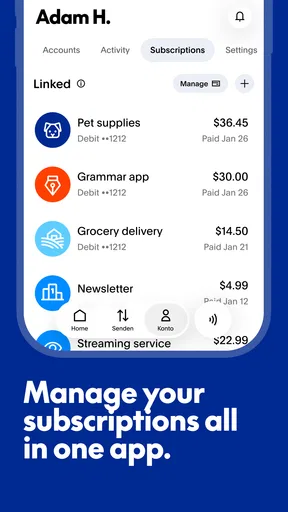
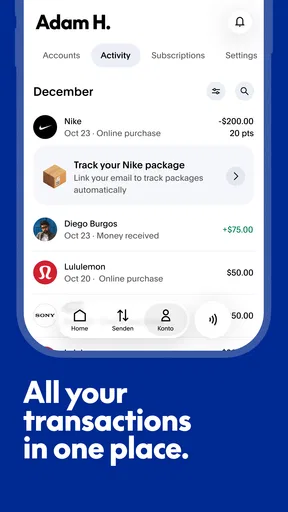
But wait, there’s more! PayPal isn’t just about sending money. You can also save money with their deals and offers. The app often has discounts for various online stores, making it a win-win for shopaholics like me. Plus, you can manage your finances within the app, keeping track of your spending habits and setting goals.
I see offers as a bonus, not a reason to buy something I didn’t want. A discount only helps if the purchase already makes sense, so I compare the final cost and terms with what I would normally choose. The same goes for using an app to keep an eye on spending: it can make activity easier to review, but it doesn’t remove the need to check purchases against my own budget. I still prefer my bank’s records for a complete view of money across accounts.
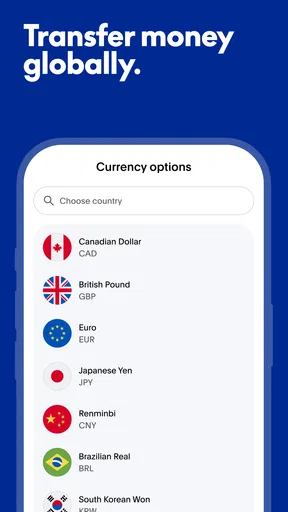
Another cool feature is the ability to hold multiple currencies. If you’re a traveler or someone who deals with international transactions, this is a lifesaver. You can convert currencies within the app at competitive rates, making it super handy when you’re on the go.
For travel, I’d think of this as a convenience for managing certain online or person-to-person payments, not a universal replacement for a card or cash. Before converting or paying across currencies, I’d look carefully at the amount and the conversion shown in the transaction flow. Currency handling can be useful when a balance or payment needs to be in another currency, but the best choice depends on the transaction and the costs shown at the time. If I need predictable travel spending, I compare options rather than assuming one app will always be cheapest.
Choosing it over familiar alternatives
Compared with paying directly through a bank, PayPal can be easier when the other person or an online merchant already accepts it, because the payment can happen within the service rather than through a separate bank transfer process. A bank app may be the better choice when I want to manage my core banking tasks or use a service that is specific to my bank. For a one-off payment to someone who doesn’t use PayPal, a different transfer method they already have may involve less setup.
That makes the app most appealing to people who regularly shop online, share costs with friends, or receive payments from people who already know how to use it. It is less compelling if nearly all your payments happen through one bank or a local method that your contacts prefer. I’d also avoid making it my only payment option: a merchant may not accept it, and the other person may prefer a direct transfer. Having a suitable alternative keeps a convenient service from becoming a bottleneck.
Limits, fit, and the final call
One point I’d keep in mind is that a smooth interface doesn’t make every payment identical. Sending money to someone you know, paying an online seller, and dealing with an international transaction are different situations, so I don’t assume the same protections, costs, or best workflow apply to all of them. I read the details shown before committing, especially when a currency conversion or purchase is involved, and choose another route if the terms don’t suit me.
PayPal is a finance app from PayPal Mobile, and its broad reach is part of its appeal: it has over 100 million installs and a 4.2 average from around 3.6 million ratings. It’s free, rated for Everyone, and version 8.97.0 requires Android 7.0 or later. Those facts tell me it’s widely used and accessible on many Android devices, but they don’t mean it will be the best payment option for every person or transaction.
The Verdict: A Must-Have App
All in all, PayPal - Pay, Send, Save is more than just an app; it’s an essential tool for managing your money. Whether you’re paying for your morning coffee or sending money to a friend halfway across the world, PayPal makes it seamless and stress-free. It’s like having a financial assistant that fits in your pocket.
I’d recommend it to someone who wants a familiar way to handle online payments and occasional transfers, and who is willing to check the details instead of treating every tap as interchangeable. I wouldn’t call it essential for someone whose bank or preferred payment service already covers their usual needs. Its strongest role is as a practical extra: useful when it fits the person or checkout, and easy to set aside when another method is clearer or better suited.
So, if you haven’t already, I’d suggest downloading it and giving it a whirl. Because once you start using PayPal, you’ll wonder how you ever got by without it.
Privacy and Permissions
See what permissions an app requests and how it handles your data.
- Identity
- read your own contact card
- Contacts
- read your contacts
- Location
- approximate location (network-based), precise location (GPS and network-based)
- Phone
- read phone status and identity
- Photos/Media/Files
- read the contents of your USB storage, modify or delete the contents of your USB storage
- Storage
- read the contents of your USB storage, modify or delete the contents of your USB storage
- Camera
- take pictures and videos
- Microphone
- record audio
- Wi-Fi connection information
- view Wi-Fi connections
- Device ID & call information
- read phone status and identity
- Other
- view network connections, pair with Bluetooth devices, access Bluetooth settings, change system display settings, change network connectivity, control flashlight, full network access, change your audio settings, control Near Field Communication, run at startup, reorder running apps, control vibration, prevent device from sleeping, read Google service configuration
Verdict
Strengths of PayPal - Pay, Send, Save
- Widely accepted for online payments.
- Secure transactions with encryption.
- Easy to send money to friends.
- Integration with numerous apps.
- Instant notifications for transactions.
Limitations of PayPal - Pay, Send, Save
- High fees for currency conversion.
- Account holds can be unpredictable.
- Limited customer support options.
- Requires internet for most functions.
- Some features not available globally.
Other Releases by PayPal Mobile
View All
PayPal Business
Business3.8
Similar Picks in This Category
View All
Google Wallet
Google LLC4.3

Airtel: Recharge, Bank & Loans
Airtel4.0

DANA Indonesia Digital Wallet
PT Espay Debit Indonesia Koe4.5

Binance: Buy Bitcoin & Crypto
Binance Inc.4.8

Cash App
Block, Inc.4.7

MetaTrader 5 — Forex, Stocks
MetaQuotes Software Corp.4.7
You May Also Like
View All
Frequently Asked Questions
Is PayPal secure for online transactions?
Yes, PayPal is widely regarded as a secure platform for online transactions. It uses advanced encryption and fraud detection technologies to protect user information. Additionally, PayPal offers buyer protection services, which means eligible purchases can be refunded if there’s an issue. Always ensure your account details remain confidential to maintain security.
What are the fees associated with using PayPal?
PayPal generally does not charge fees for personal transactions within the same country when using a bank account or PayPal balance. However, fees may apply for currency conversions, international transactions, or when using a credit or debit card. It’s advisable to review PayPal’s fee structure on their official website for detailed information.
Can I link multiple bank accounts or credit cards to my PayPal account?
Yes, PayPal allows users to link multiple bank accounts and credit cards to their account. This feature provides flexibility in choosing payment methods for different transactions. You can easily add or remove payment options from your account settings, ensuring you have access to preferred payment sources when needed.
Is PayPal available for use in all countries?
PayPal operates in over 200 countries and supports multiple currencies, making it accessible to a large global audience. However, some features may be limited or unavailable in certain regions due to local regulations. It's recommended to check PayPal’s official website for specific information on availability and features in your country.
How do I resolve issues with a transaction on PayPal?
If you encounter issues with a PayPal transaction, you can use their Resolution Center to report the problem. PayPal’s customer support can help mediate disputes between buyers and sellers. Providing detailed information about the issue will facilitate a quicker resolution. Their support team is accessible via email, phone, or through their online help center.
